Assistant
Ask for it in your own words.
The assistant is the chat on Home. You ask about your business or ask for a change, and before it does anything it shows you how it will look. You say yes.
What the assistant is
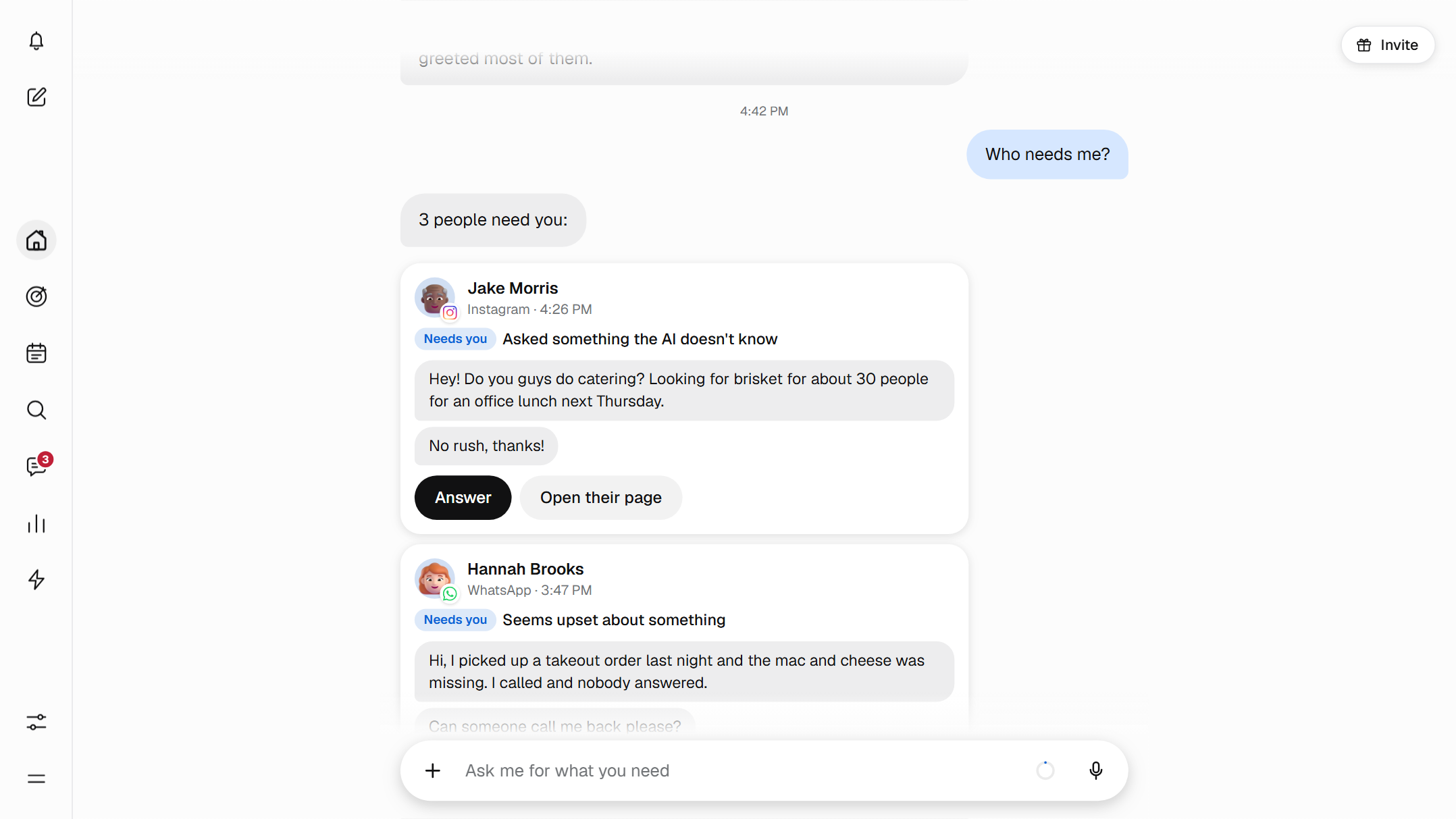
The assistant is the chat you see when you open Home, the first thing in the panel. You write what you need, the way you would tell a person, and it answers with your business's information.
When you ask for a change, it does not make it right away: it shows you a card with how it will look and waits for your yes. It works on the free plan, and paid plans add dictating, reading photos and documents, making ad images and turning on the AI for your customers.
Ask it the way you would ask your partner
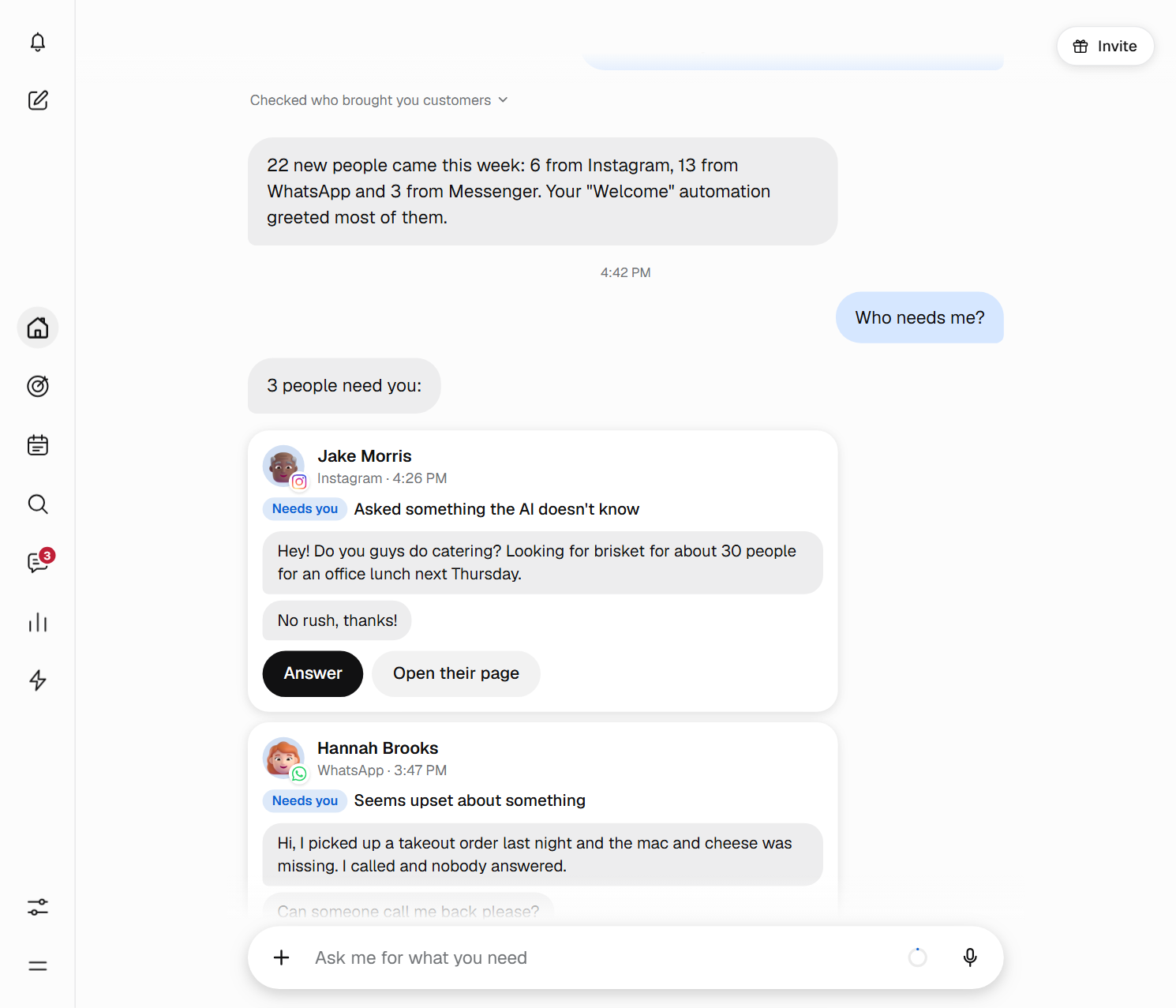
While it thinks, you see what it is doing, for example “Checking who brought you customers”, and you can press “Stop”. Then it answers with your own data.
- Who needs me?Each person with their reason and a button to take care of them.
- Where did my customers come from this month?Your automations, ads, posts and links, with the customers of each one.
- Which ad brought me the most customers this month?The ad and how many customers it brought you.

You look after the person in front of you. Ask Bephic for the rest.
It proposes, you say yes
Every change arrives as a card, with its title, the details and, if it applies, when it will happen. Nothing changes until you tap “Yes, do it”. When it is finished, the card says “Done”.
It proposes one change per card. If you ask for several, it shows them one by one. If you are not convinced, ask for something else in your own words or do nothing: a card with no answer changes nothing.
When someone comments “price” on your posts, it replies.
Yes, do it8:40
The cards are your decisions. What Bephic may do on its own, without asking you, you decide in Settings, Permissions.
Phrases it understands as they are
There are no commands to learn. Here are a few, with what it does with each one.
- Reply to anyone who comments “price” on my posts
- It sets the automation up so you can say yes.
- Tell me every afternoon how many new customers arrived
- It prepares a daily notice with the new customers.
- Turn off the “Welcome” automation
- A card with the change and the “Yes, do it” button.
- Turn on the AI on Instagram
- A card to turn on the AI that answers your customers on that network.
- Change my business hours
- It adjusts the AI's business hours when you say yes.
- Make an image for an ad with my photo
- Three options, and the one you choose ready to download.
- Remember that on Sundays we open at 8
- It saves it in Memory, in “To review”.
- Which accounts do I have connected?
- It tells you which you have connected and which you are missing.
Turn on the AI that answers your customers
The AI for your customers starts off. You ask the assistant, for example “Turn on the AI on WhatsApp”, and it turns it on when you say yes.
Then you ask, each thing on its own card, which networks it answers on, its tone (friendly, formal or brief), its business hours and the amount above which it hands you the chat. It answers at any hour and, outside your hours, tells the customer when your team will reply.
It is part of the paid plans. On the free plan, the assistant offers you “Create automatic reply”. See how it answers in Messages.
It will answer your WhatsApp chats with what it knows about your business.8:41
It knows your business
It remembers your hours, your prices, where you are and how you get paid. You tell it “Remember that on Sundays we open at 8” and it notes it down. What it learns stays in “To review” and it does not use it until you say yes.
In Memory you see everything, change it or delete it. The AI that answers your customers uses that same memory, and if a detail is missing it passes you the question: it does not make it up. The memory does not store your customers' data.
With a paid plan, it also remembers how you like to work.
Write to it, dictate or send it a file
- Write to itIn “Ask me for what you need”, like a message to a friend.
- Dictate with your voiceYou tap the microphone and speak for up to 60 seconds. Your text appears in the box so you can check it before sending, and Bephic converts it with its own service, which stores nothing. It is part of the paid plans.
- Send photos and documentsWith the paperclip you send photos, a PDF or a text file: a price list, a menu, your notes. It is part of the paid plans.
- Make images for your adsYou send your photo and it makes three proposals. You pick one, it makes the final one and you download it. The panel adds the lettering and it never makes up prices. It is part of the paid plans.
It helps you get started
If something is missing, like connecting a network, it tells you and puts the “Connect” button right there, in the conversation. It can help you with Instagram, WhatsApp, Messenger, Facebook, Threads, TikTok, Meta Ads, Google Ads, TikTok Ads, your Google Business Profile and Search Console.
And when you want to know what you have, you ask it: it tells you which accounts you have connected and which you are missing.
Connect your account and follow the network's steps.
Connect8:42
Your conversations are yours
Your conversations with the assistant are kept for 2 years if “Help improve our AI models” is on and for 30 days if it is off. You can turn it off whenever you want.
You decide what the assistant remembers, and you can delete it whenever you want.
Start in three steps
- Open HomeIt is the first thing you see when you enter the panel. On the phone, Home is in the menu at the bottom.
- Connect your networksWrite “I want to connect my WhatsApp” and the assistant puts the “Connect” button for you.
- Ask for your first thingAsk “Who needs me?” or ask it to turn on the AI on WhatsApp. It shows you the card and you say yes.
The assistant works together with
Questions about the assistant
What can I ask it?
To tell you who needs you or where your customers came from, to turn on, turn off or change your automations, to prepare a reply for anyone who comments a word, to help you connect a network and to save what it knows about your business. With a paid plan, also to make ad images and to turn on and adjust the AI for your customers.
Does it make changes without asking me?
No. Every change arrives as a card, one per card, and nothing happens until you tap “Yes, do it”. What Bephic may do on its own, you decide in Settings, Permissions.
What does it remember about my business?
What you tell it: your hours, your prices, how you get paid. What it learns stays in “To review” until you say yes, and in Memory you see it, change it or delete it. The AI that answers your customers uses that same memory. Your conversations with the assistant are kept for 2 years if “Help improve our AI models” is on and for 30 days if it is off. Deleting the memory or the conversation removes it from Bephic; what a model already learned while it was on cannot be taken back.
Does it work on the free plan?
Yes. On the free plan the assistant answers you, changes your automations and saves your business details. Dictating, reading photos and documents, making ad images, turning on the AI for your customers and remembering how you like to work are part of the paid plans.
Can I talk to it instead of typing?
Yes, with a paid plan. You tap the microphone, “Dictate with your voice”, and speak for up to 60 seconds. Your text appears in the box so you can check it before sending.
How do I turn on the AI that answers my customers?
It starts off, and you ask the assistant, for example “Turn on the AI on WhatsApp”. It shows you a card and turns it on when you say yes. Then, each thing on its own card, you choose which networks it answers on, its tone, its business hours and the amount above which it hands you the chat. The AI answers at any hour; outside your hours it tells the customer when your team will reply. It is part of the paid plans.
Does it write to my customers for me?
No. The assistant works with you. Your customers are answered by your automations and, if you turn it on, the AI for your customers.
How much can I use the assistant each month?
The AI assistant uses part of the AI your plan includes each month. Above the chat you see “Your usage this month”. When it runs out, it tells you when it comes back and everything else keeps working; you can also add balance.
Ask it whatever you want today.
Go into the panel and write to it on Home: “who needs me?”.