Results
You know what brings you customers.
Results counts your month in clear numbers: who arrived, who talked to you, who booked and who bought, against last month. And it tells you what brings you customers: your automations, your ads, your posts and your links.
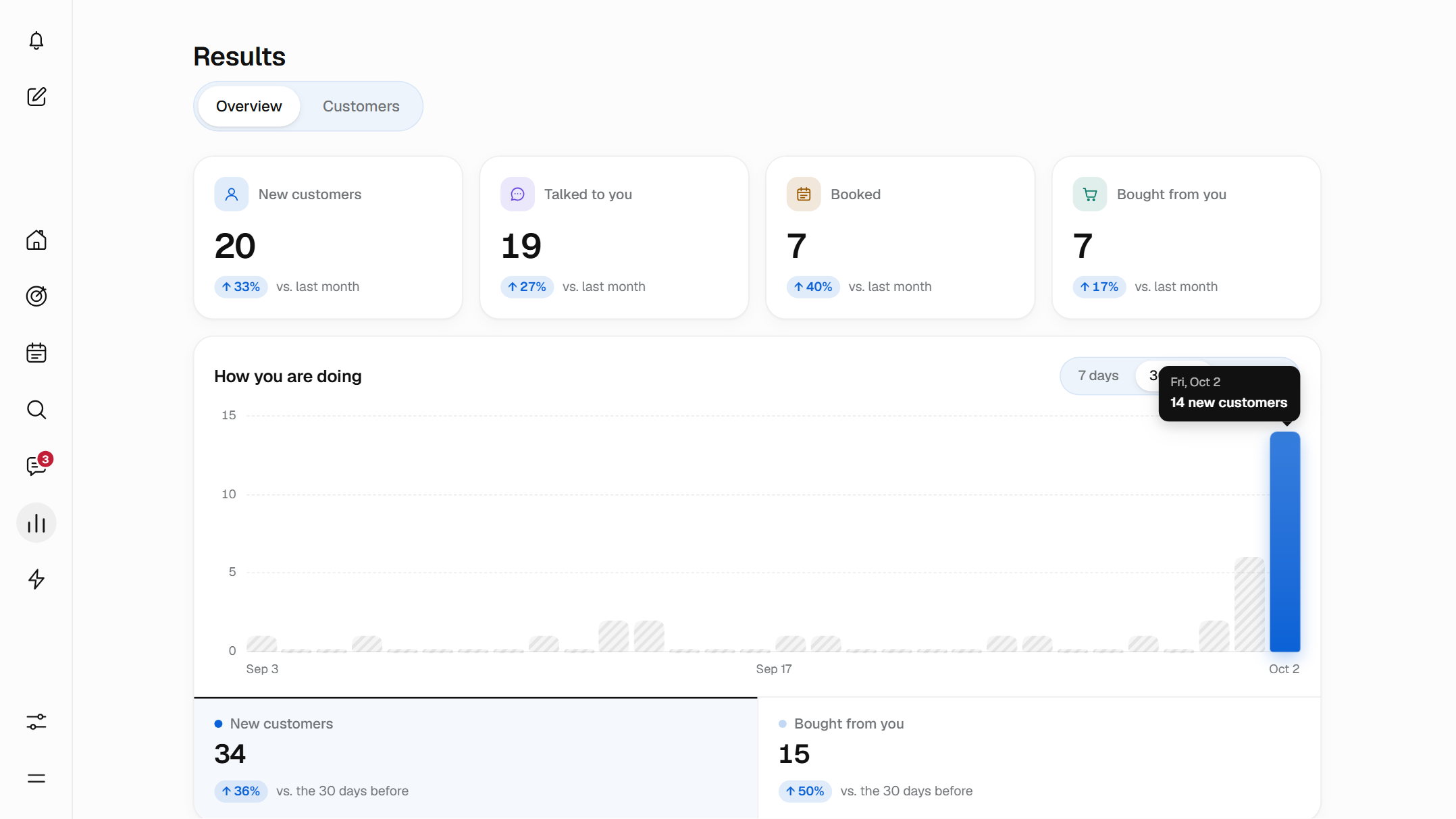
What Results is
Results is the page of Bephic where you see how you’re doing. It fills in on its own with what happens in Bephic and the sales you note down: no spreadsheets and nothing to fill in by hand.
It has two tabs. Overview is your numbers, and Customers is the list of people, each with their history.
Your month in four numbers
At the top of the Overview you see four numbers for the month, from day 1 to today. Each one says how much it went up or down against last month.
They count people, not messages. So you can tell at a glance whether your month is going better or worse than the last.
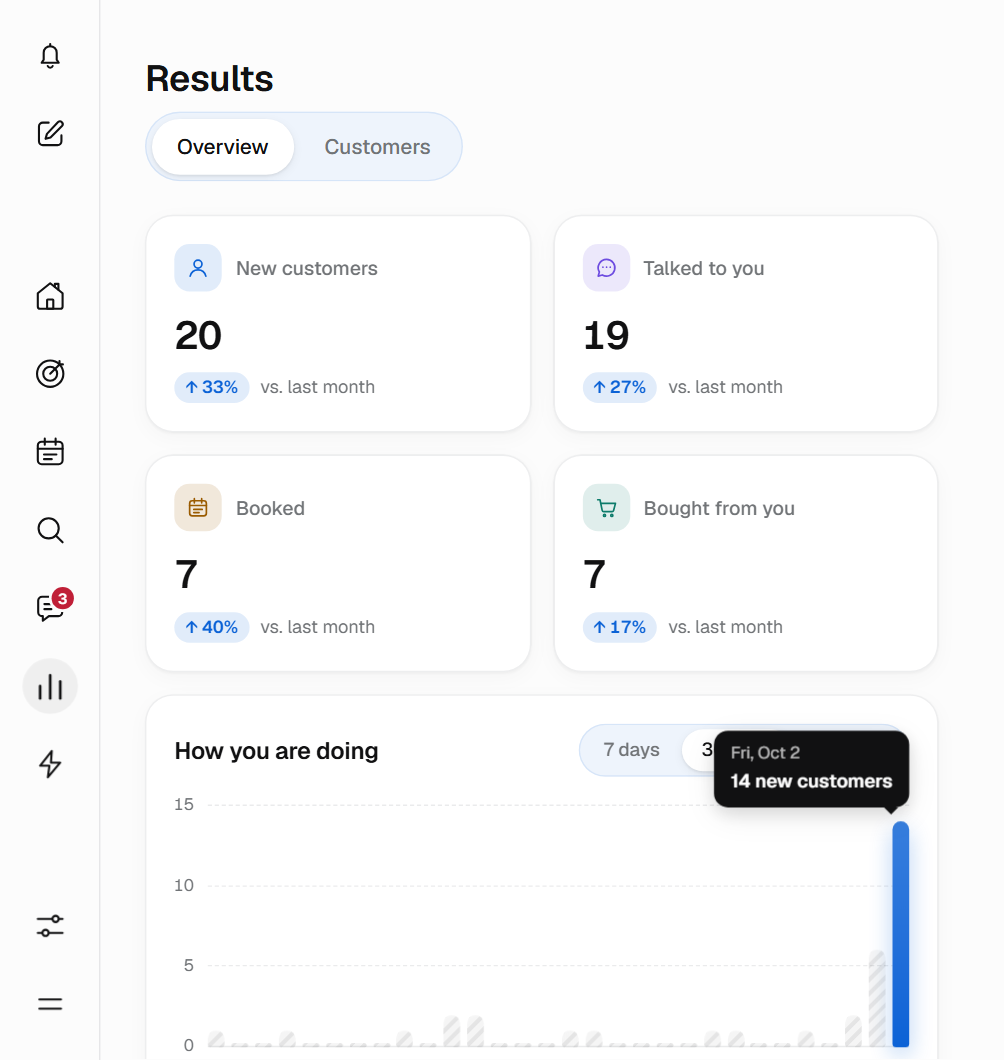
What each number counts
- New customers
- The people who arrived for the first time this month thanks to Bephic.
- Talked to you
- The people who this month wrote to you or commented on a post.
- Booked
- The people who this month booked an appointment or came to one.
- Bought from you
- The people who this month bought something from you. If someone buys three times, they count once.
Talked to you, Booked and Bought from you count whoever did it this month, whenever they arrived. That is why Bought from you can be bigger than New customers.
How you’re doing, day by day
How you’re doing is the chart on the Overview. Each bar is a day, and its height is how many people there were that day.
You choose 7, 30 or 90 days, and what to count: New customers or Bought from you. Hover over a bar, or tap it, and you see the day and how many there were.
Below, each tab tells you the total for the period and whether it went up or down against the same days before.

What you see is what happened.
How much you sold and who is waiting for you
Below the chart there are three cards. They fill in on their own with what happens in Bephic and the sales you note down.
- Sales this monthWhat you sold this month against last month. With “See each sale” you open the list, one by one, and each one opens the customer’s record.
- Buy from youWhat share of this month’s new people have already bought from you, for example 16 of 43. “See customers” opens those people.
- Need youThe conversations waiting for a person right now. “Answer” takes you to Messages, and the number updates on its own.
How you note down a sale
A sale counts in Results once you note it down and that person is already in Customers. With “Add payment” and “Mark paid” it adds money; with “Record sale” it counts the person in Bought from you.
Bephic matches the sale to the person by their WhatsApp or their email, so write them the same way as when they arrived.
Bephic does not convert currencies. If you sell in two, you see each one separately, never added together.
How much work Bephic takes off you
Who answered counts your WhatsApp, Instagram and Messenger conversations of the last 30 days, whether or not they came through Bephic, and splits them by who answered.
- BephicThe ones the AI or your automatic replies answered.
- You or your teamThe ones people answered.
- Not answered yetThe ones nobody has answered: look at the Need you card.
Need you counts all your conversations the same way, not only those of new customers.
What brings you the most customers this month
The What brings you customers table tells you what works for you: what brings the most goes on top. Each row says how many customers it brought, how many bought from you and how much you sold.
Where each person came from
- Your automations
- Whoever arrived because an automation replied to them, or booked an appointment by chat.
- Your ads
- Whoever arrived by tapping an ad of yours that opens the chat.
- Your posts
- Whoever arrived through a post without an automation replying to them.
- Your links and QR codes
- Whoever arrived through a link or QR code of yours.
Each person counts for the first thing that brought them. If within the first 5 minutes something with more weight arrives, such as an ad, that is what counts. Tap a row and Customers opens with those people.
No estimates: what you see is what happened with the customers Bephic brought you.
That is why your total sales can be more than what Results says: almost everything counts the people who arrived thanks to Bephic.
It tells you every morning
Ask the assistant for the morning summary and it reaches your bell at the time you choose, only when there is something to tell. It says things like “Yesterday 14 new people arrived and 3 bought from you”.
The bell also tells you about the important things as they happen: who needs you, an appointment booked by chat or what a post brought.
If you prefer a notice every afternoon, ask for it the same way: every day it tells you how many new people arrived and how many bought from you.
Your team sees it with the permission you give them
Results is one of the pages you give each person on your team. With “View only” they read the Overview and the Customers list without changing anything; with “Edit” they also move stages, tag and write notes. They see the same numbers you do.
Start in three steps
Results works the same on the computer and on the phone: on the phone you tap Results in the bottom menu. Even if nobody has arrived yet, the Overview looks complete, with everything at 0.
- Connect your networksYou connect WhatsApp, Instagram or Messenger from the panel, with your permission. Without a connected account, Bephic touches nothing of it.
- Let them arriveYour automations, your ads, your posts and your links bring people in, and Results counts what happens from the first chat.
- Note down your salesWhen someone pays you, mark it as paid or record it, and the sale adds to your month.
Questions about Results
Where do these numbers come from?
From what happens in Bephic: the chats, the appointments booked by chat and the sales you note down. There is nothing to fill in by hand.
Can I see more than one month?
The “How you’re doing” chart shows 7, 30 or 90 days. The four numbers at the top are always the current month against last month.
Does it include what I spend on ads?
What you spend on ads is in Strategies. In Results you see the customers and sales each ad brought.
Can it send me a summary every morning?
Yes. Ask the assistant for the morning summary and it reaches your bell at the time you choose, only when there is something to tell. It says things like “Yesterday 14 new people arrived and 3 bought from you”.
What if I sell in two currencies?
Bephic does not convert or add them: you see each currency separately, and the comparison with last month uses the number of buyers.
Why do my sales not match what Results says?
Almost everything in Results counts the people who arrived thanks to Bephic, and a sale counts once you note it down and that person is already in Customers. That is why your total sales can be higher. Only Who answered and Need you count all your conversations.
What if nobody has arrived yet?
The Overview looks complete, with everything at 0. When people arrive, the numbers fill in on their own.
Can my team see Results?
Yes, if you give them the page. With “View only” they read the Overview and the Customers list without changing anything, and see the same numbers you do.
Is Results on the free plan?
Yes, in full. On the free plan, the Customers tab shows people up to a limit.
See your month in four numbers.
Connect your networks and Results fills in on its own from the first chat.