Messages
No customer is left waiting.
Messages brings your WhatsApp, Instagram and Messenger chats into one inbox. Bephic answers with your business's information and, when someone needs you, hands you the chat and the bell lets you know.
What Messages is
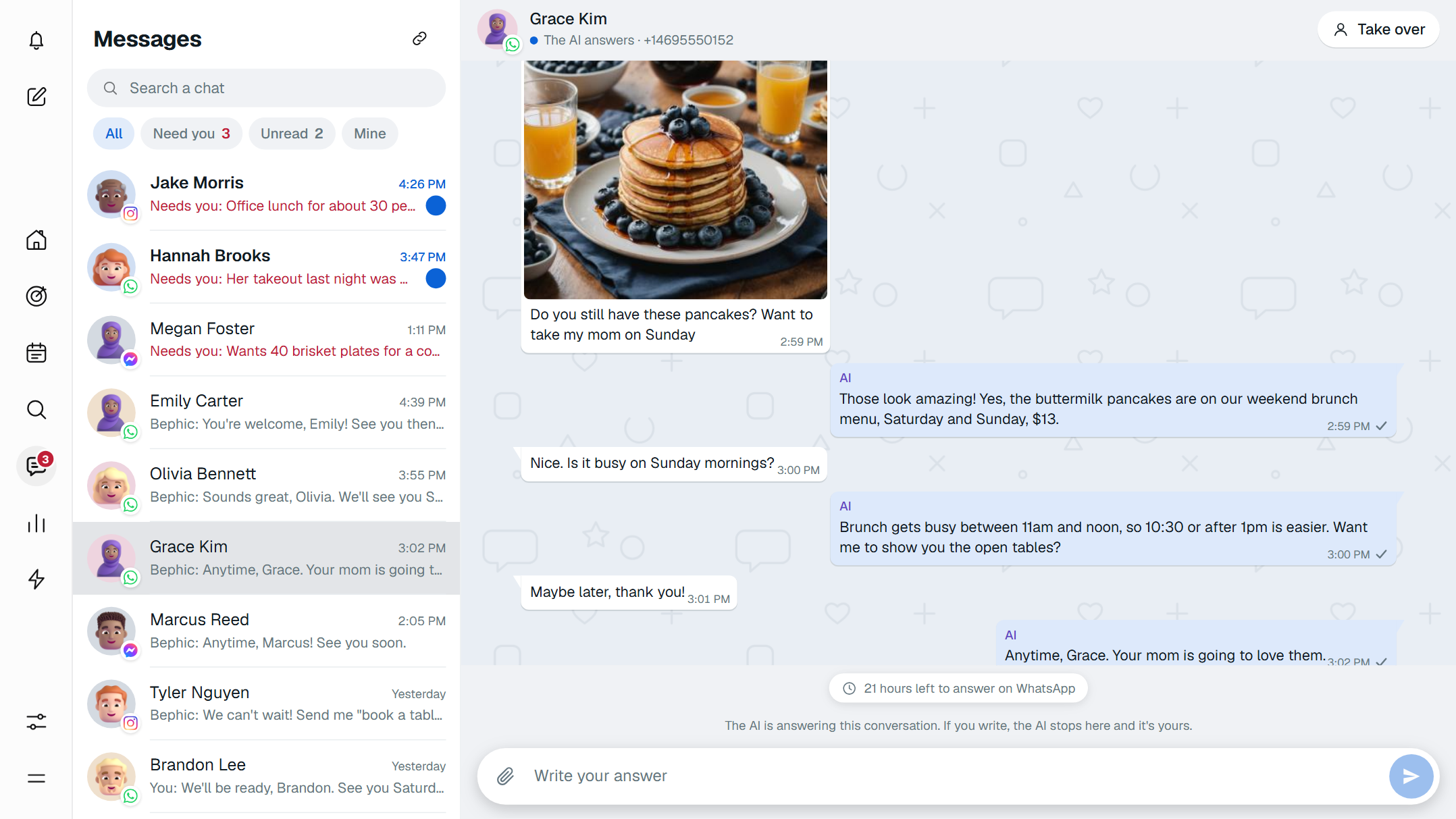
Messages is Bephic's inbox for looking after your customers. It brings the chats from WhatsApp, Instagram and Messenger into one place, and Bephic answers with what it knows about your business: your hours, your prices, your menu.
When it should not go on alone, it stops replying, moves the chat to “Need you” and tells you. On the free plan your automatic replies answer; with a paid plan, the AI also answers everything else. TikTok and Threads work with automations.
All your chats, in one place
Each chat carries its network's logo on the customer's photo. The ones waiting for a person come first and say why. You search by name, @username, phone number or by the last thing they wrote.
Four filters sort the list: All, Need you, Unread and Mine. The Messages icon tells you how many chats are waiting for a person, and the list updates on its own, with no page reload.
It answers at 11 at night, the way you would
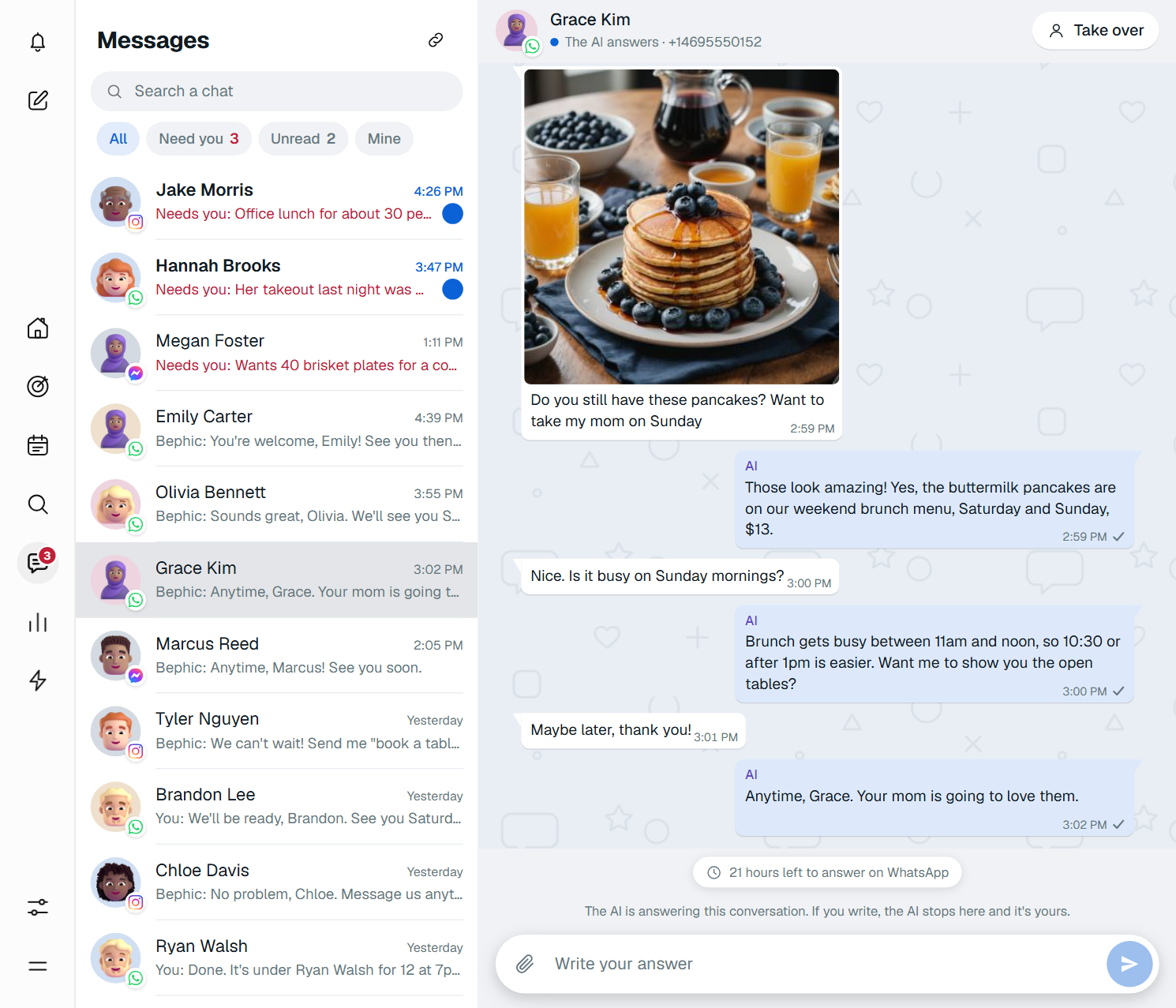
While you close the kitchen, Bephic's AI answers with your hours, your prices and your menu. If the question is for you, it hands you the chat.
- It speaks your customer's languageIt answers in Spanish or English, the way people write to it.
- It understands photos and voice notesIt looks at the photo and listens to the voice note to understand what is being asked. This is part of the paid plans.
- It never makes things upNot a price, not a time. If it does not know, it hands you the chat.
- It says it is an automated assistantIn its first message on Instagram and Messenger, and on WhatsApp to +1 numbers. In all other cases, when asked.
The AI starts off. You turn it on by asking the assistant, and you choose which networks it answers on, its tone, its hours and the amount above which it hands you the chat.

You look after your business. Bephic looks after the chat.
When someone needs you, it tells you
Bephic does not notify you about every message, because the AI and your automatic replies answer most of them. It notifies you when a customer needs a person: the chat jumps to the top of the list, moves to “Need you” and the bell lets you know.
If nobody answers in 15 minutes, it reminds you. Meanwhile, the AI tells the customer it is passing them to someone on the team.
When it hands you the chat
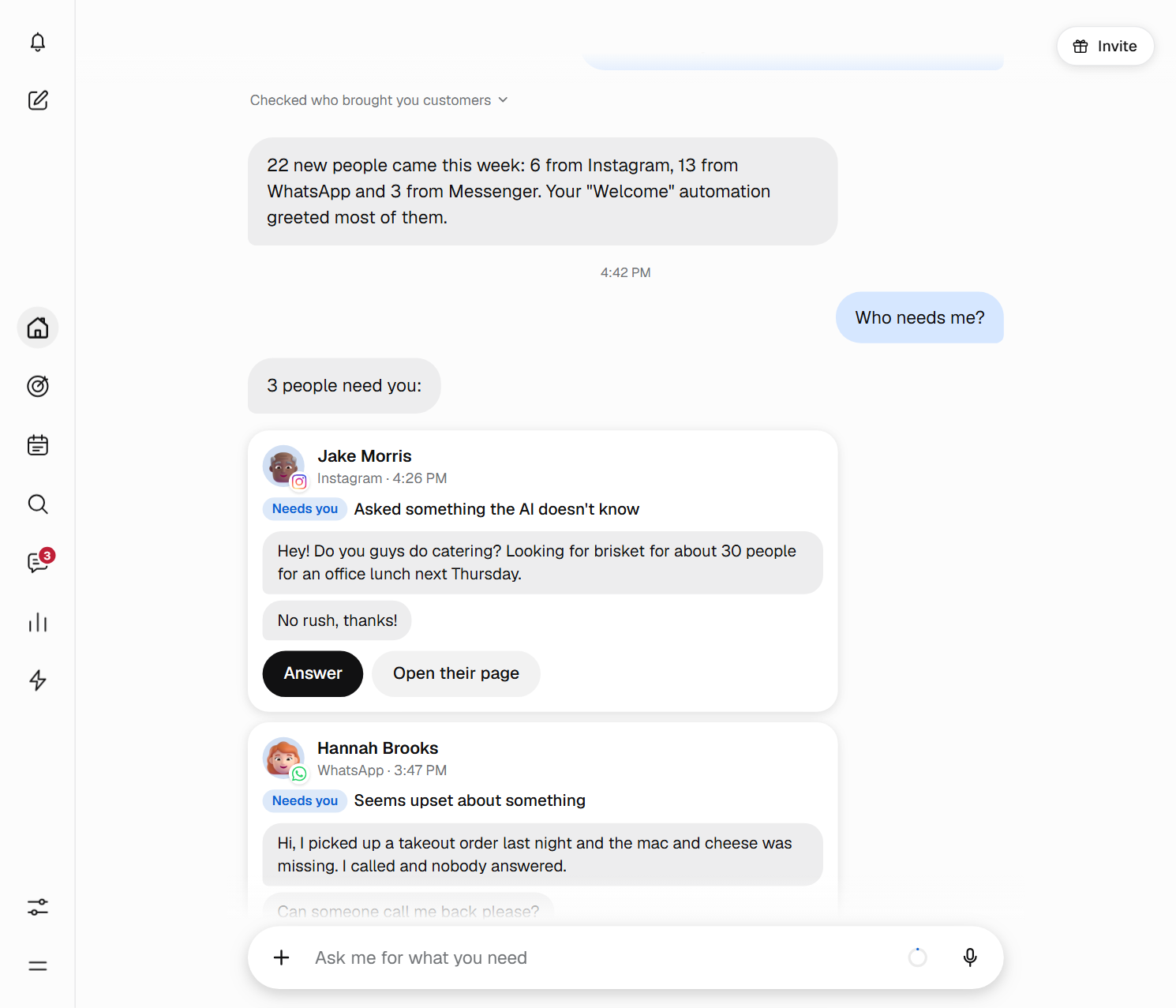
These are the reasons you will see in “Need you”, in the panel's own words.
- Asked to talk to a person
- However they ask, the chat comes to you.
- Seems upset about something
- An upset customer deserves a person, not an automatic reply.
- Asked something the AI doesn't know
- If the fact is not in what Bephic knows about your business, it does not make it up.
- Wants to buy for more than your amount
- You set the amount. A big order or an event comes to you.
- This month's AI is used up
- Unanswered chats wait for you in Messages and your automatic replies keep working.
- The AI passed it to you
- Legal or health topics, a problem with a payment, or an answer that did not pass the check.
You take control whenever you want
With “Take over” you write and Bephic stops in that chat; your other chats stay as they were. With “Hand it to Bephic” you give the conversation back. If you do not, the AI comes back on its own 24 hours after your last message.
Each WhatsApp chat tells you how much time you have left to answer. Once 24 hours have passed since the customer's last message, WhatsApp only lets you write with an approved message, and Bephic lets you pick one. On Instagram and Messenger, after 24 hours the network does not let you write until they write to you again.
Photos, voice notes and your data
The photos people send you are saved as soon as they arrive, without their location data and encrypted with your business's key. You view them full size and download them whenever you like. Voice notes, videos and documents appear in the chat with their name, and you open them in the app of the network where they arrived.
With a paid plan, the AI looks at photos and listens to voice notes to understand what the customer is asking, and you can send photos yourself.
Your customers' chats belong to your business: they are kept for 30 days, never sold or rented, and never used to train models.
Start from your phone
Messages works the same on a computer and on a phone: on a phone you tap Messages in the bottom bar. There are three steps.
- Connect your networksYou connect WhatsApp, Instagram or Messenger from the panel, with your permission. Without a connected account, Bephic touches nothing of it.
- Turn on the AIAsk the assistant “turn on the AI on WhatsApp”. It shows you the change and nothing happens until you say yes.
- Handle what comes inNew chats show up on their own. When someone needs you, the bell lets you know.
Questions about Messages
Which networks does Messages work with?
With WhatsApp, Instagram and Messenger. You connect each one from the panel and its chats show up in the inbox. On TikTok, Bephic answers direct messages from conversations the person started, and on Threads it posts public replies, with automations.
How do I turn on the AI that answers my customers?
It starts off. You ask the assistant on Home, for example “turn on the AI on WhatsApp”, and it shows you the change so you can say yes. That is also where you choose its tone (friendly, formal or brief), its hours and the amount above which it hands you the chat.
What happens if Bephic does not know the answer?
It does not make it up. It stops replying, moves the chat to “Need you” and tells you, so you can answer. It tells the customer it is passing them to someone on the team. It never gives discounts or gives anything away: if someone asks, the chat also moves to “Need you”.
Do my customers know an AI is answering them?
Yes. Bephic never says it is a person. In its first message on Instagram and Messenger, and on WhatsApp to +1 numbers, it says it is an automated assistant. In all other cases it says so when asked.
How do I find out that a customer wrote to me?
New chats show up on their own in Messages, with an “Unread” dot. When a customer needs a person, the bell also lets you know and the Messages icon shows how many are waiting. If nobody answers in 15 minutes, it reminds you. Bephic does not email you about your customers' messages.
How do I take over a chat?
Open the chat and tap “Take over”, at the top right, or just write to the customer. The AI goes quiet in that chat and your other chats stay as they were. When you are done, tap “Hand it to Bephic”; if you do not, the AI comes back on its own 24 hours after your last message.
Can I write to a customer after a day?
On WhatsApp there is a rule: once 24 hours have passed since the customer's last message, you can only write to them with a message approved by WhatsApp. Bephic shows you how many hours you have left on each chat. On Instagram and Messenger, after 24 hours the network does not let you write until the customer writes to you again.
Does the AI answer on the free plan?
On the free plan your automatic replies answer. With a paid plan, the AI also answers everything else with what it knows about your business, reads photos, listens to voice notes, and you can send photos yourself.
How long are chats kept?
Conversations on all five channels are kept for 30 days, and so are photos, encrypted with your business's key. After that they are deleted on their own. They are never sold or rented to anyone, and never used to train models.
Don't let a single message go unanswered.
Connect your WhatsApp, your Instagram or your Messenger and watch the first chat come in.