Customers
Every customer, with their history.
Customers keeps a record for every person who reached you through Bephic: where they came from, where they are with you, what they have bought and when it is your turn to write to them.
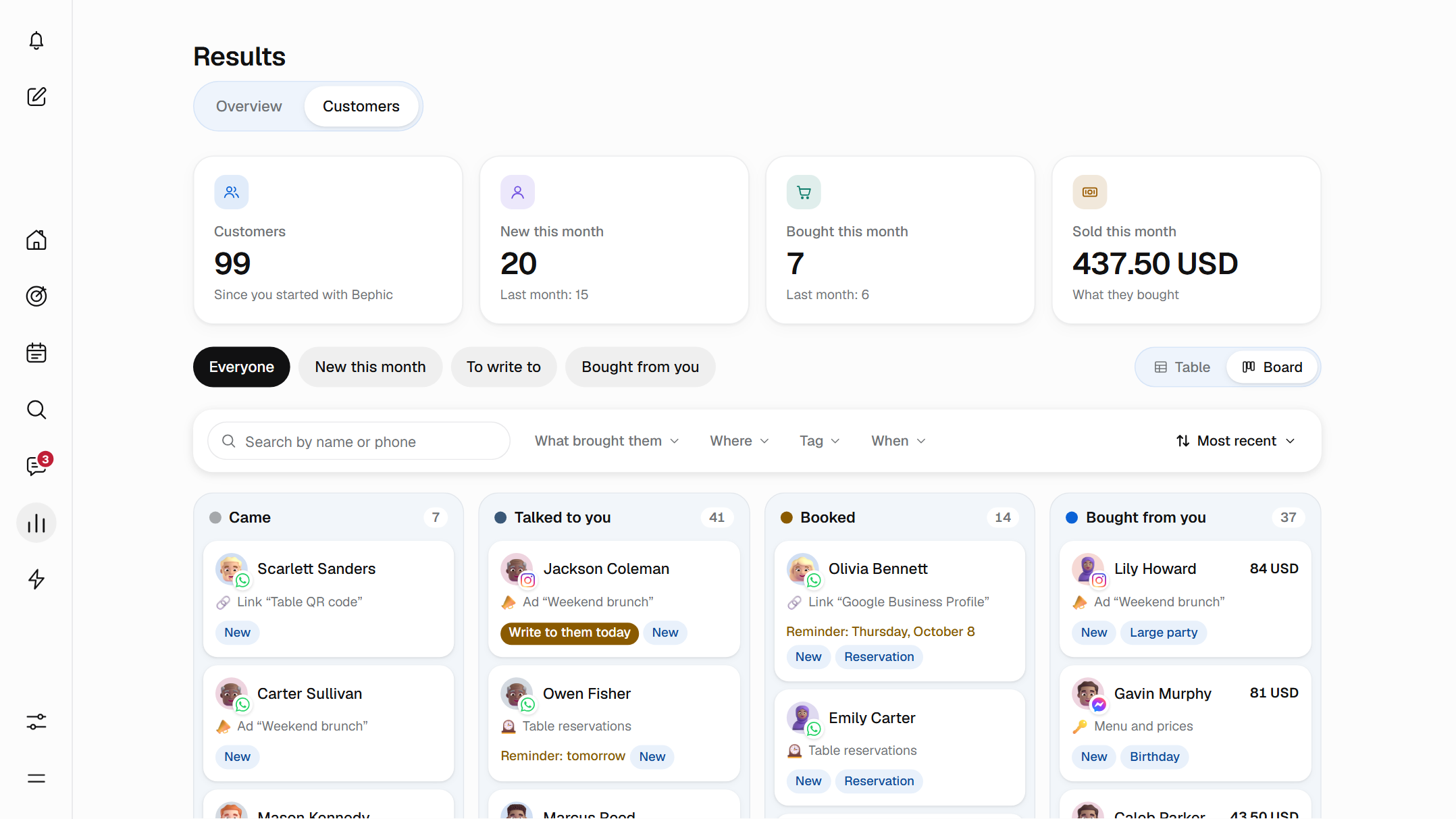
What Customers is
Customers lives in Results, in the Customers tab. Each person who reaches your business through Bephic shows up on their own, with their record: what brought them, where they are with you and everything that has happened, in order.
The list fills by itself with whoever arrives through your ads, your link, your QR, your posts and your automations. That is why every record tells a real story.
A record for every person
You see where each one came from: what brought them (an automation, an ad, a post, your link or your QR) and which network they came through, whether WhatsApp, Instagram, Messenger, Facebook, Threads or TikTok.
You open their record and see what they have bought and everything that has happened, with its date: their messages, their appointments and their purchases.
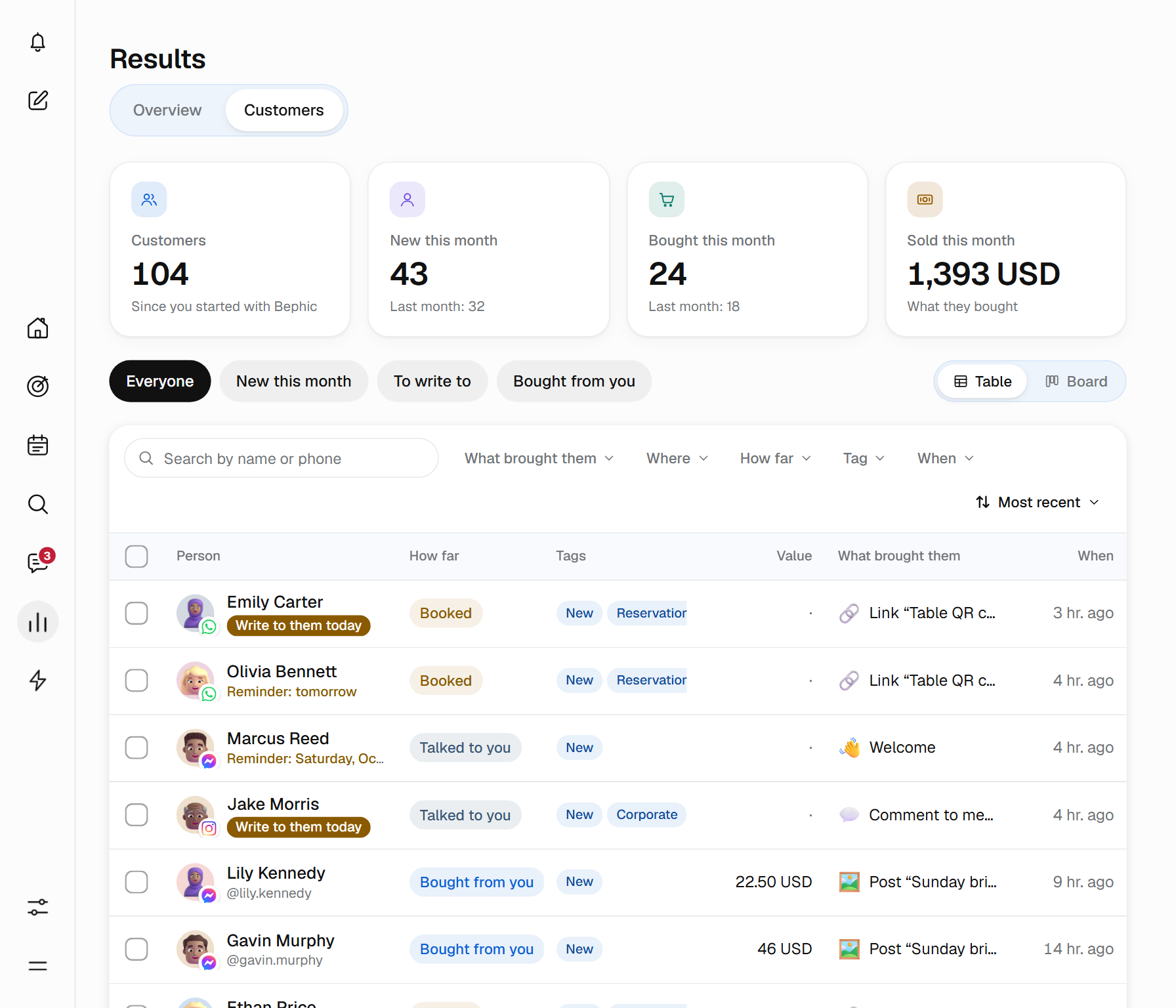
Whoever reached you through Bephic shows up
A person enters Customers as soon as one of these things happens.
- They comment on a post of yoursAnd which post they commented on is noted.
- They write you a keywordAnd one of your automations answers them.
- They arrive from an ad, your link or your QRWith what brought them on their record.
- They write to you for the first timeAnd your welcome message answers them.
Someone who writes to you and gets no answer from Bephic does not appear: their chat is in Messages. Each person appears once for each network they came through.
From the moment they arrive to the moment they buy
Each person is in one of four stages, which say how far they got with you. Bephic moves them up when something happens, and never moves anyone down a stage.
- Came
- They arrived from your ad, your link, your QR or a post, and have not written to you yet.
- Talked to you
- They wrote to you or commented on a post.
- Booked
- They booked an appointment by chat or came to their appointment.
- Bought from you
- You recorded their sale or marked their payment as paid. If it has an amount, the card shows what they spent.
A person who already bought from you and writes again stays in Bought from you. You can also move them, forward or back, from their record or by dragging their card, and their history says so: “You moved them to...”.
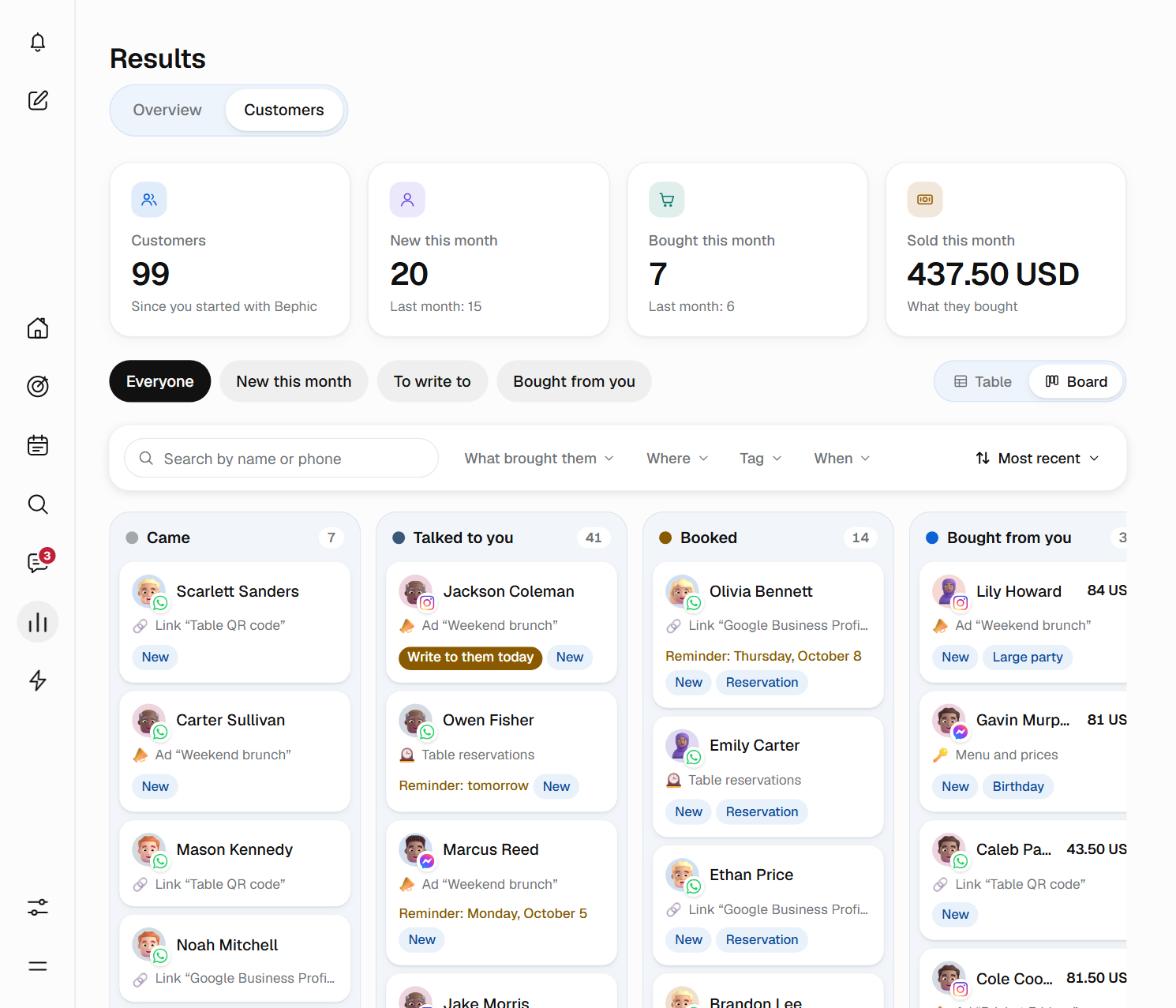
Mariana booked on Saturday. On Tuesday, Bephic reminds you to write to her.
Just as you asked. On each person's record, under “Remind me to write to them”, you pick the day: Tomorrow, In 3 days, In a week or In a month.
That morning, the bell tells you “Today: write to Mariana”, and she shows up marked “You have to write to them” in the list. The reminder is for you: the customer receives nothing.

Remember every person, without keeping a notebook.
Write to them from their record
On the record you see their conversation and reply without leaving. If they wrote to you on more than one network, you choose which to see. If the AI was answering that chat and you write, the AI stops there and you take over.
- Open in MessagesOr you open their chat in your own WhatsApp, Instagram or Messenger app, and call if you have their number.
- Up to 10 tagsWords of your own, like “VIP” or “Asks for gluten-free”, to find them fast.
- One note per personFor whatever you want to remember. You and your team see it; the customer never does.
Nothing is saved with a button: the stage, the tags, the reminder and the note save on their own, instantly.
Find anyone, in a moment
Search by name, username or phone, and filter by What brought them, Where, How far, Tag and When. Above the list there are already four views: Everyone, New this month, To write to and Bought from you.
With “Save this view” you save your own under its name. Look at them as a Table or a Board. Select several people to tag them, move them to another stage or set a reminder to write to all of them at once.
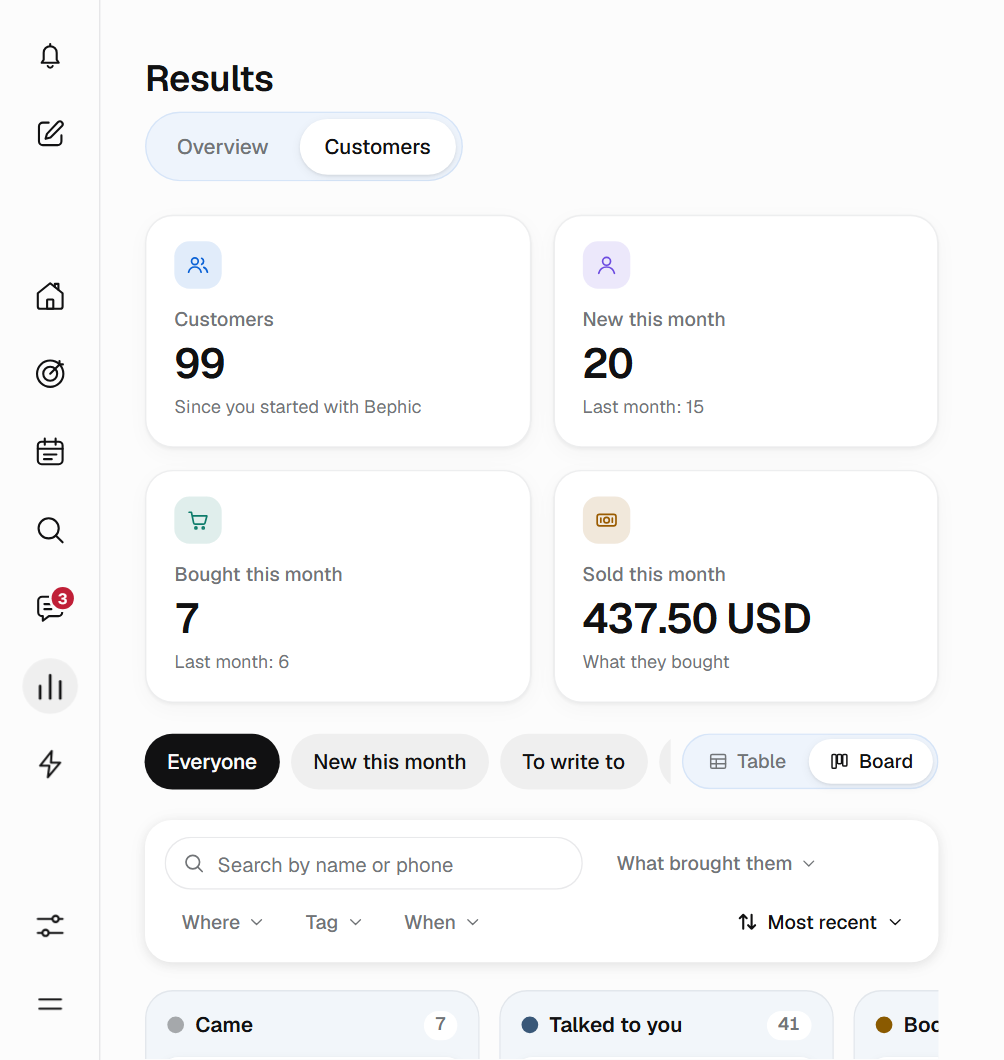
Your team sees what you see
Tags, notes, stages and reminders belong to the account, so the whole team sees the same. What each person can do depends on the permission you give them on the Results page.
- View
- They see the list, the board, the records, the tags, the notes and the history. They change nothing.
- Edit
- They also move people between stages, add tags, write notes and set reminders.
- Delete customers
- Only the owner and the administrators.
- Answer the chat
- It takes the Edit permission on Messages.
Your customers are yours
If someone asks you to delete them, you delete them from their record along with everything of theirs: their conversations and their history. Payments stay, but without their name. Anyone with no contact with you for a year is deleted on their own.
Customers has no button to download the list. If you want a copy of everything, you ask for “Export my data” in Settings and your customers are included.
Your customers' data belongs to your business: it is not sold or rented to anyone.
Start from your phone
Customers works the same on a computer and on a phone; on a phone you see one stage at a time. There are three steps.
- Connect your networksYou connect WhatsApp, Instagram or Messenger from the panel, with your permission, and you find customers with an automation, an ad, your link or your QR.
- Watch them arriveEach person shows up on their own in Results, under Customers, with what brought them.
- Write to them when it is timeSet a reminder and the bell tells you on the day you chose.
Questions about Customers
Who appears in Customers?
The people who reached you through Bephic: through an ad, your link or your QR, a post or an automation that answered them. Someone who writes to you and gets no answer from Bephic does not appear; their chat is in Messages.
How many customers do I see on the free plan?
Up to a limit. The rest stay saved, with everything that happened, and with a paid plan you see all of them.
Can I move someone to another stage?
Yes, forward or back, from their record or by dragging their card on the board. Bephic, on the other hand, only moves people up and never moves anyone down. Moving someone by hand does not change your numbers for the month.
How do I get Bephic to remind me to write to a customer?
On their record, under “Remind me to write to them”, you pick Tomorrow, In 3 days, In a week or In a month. That morning the bell tells you “Today: write to Mariana”, for example. The reminder is for you: the customer receives nothing.
Can my team see my customers?
Yes, with the permission you give them on the Results page: View or Edit. With Edit they move people between stages, add tags, write notes and set reminders. Deleting customers is only for the owner and the administrators.
What happens if a customer asks me to delete them?
You delete them from their record along with everything of theirs: their conversations and their history. Payments stay, but without their name.
Can I download my customer list?
Customers has no button to download the list. If you want a copy of everything, you ask for “Export my data” in Settings, and your customers are included.
How long does Bephic keep my customers?
As long as they keep in touch with you. Anyone who goes a year without doing anything leaves Customers on their own, and what happened more than a year ago is deleted from the history. They are not sold or rented to anyone.
Get to know the people who already buy from you.
Every person who arrives through Bephic shows up on their own in Customers, with their story.